Do you ever feel like your TV stands out for all the wrong reasons, especially when it’s off? I know I used to feel that way—just a big, blank rectangle in the middle of an otherwise cozy room. But in addition to painting the wall behind my TV a dark color, I discovered a simple solution: displaying artwork on the TV itself! Let me walk you through some easy ways to turn your TV into a beautiful focal point when it’s not in use. Whether you have a fancy “art mode” TV or just a standard screen, I’ll share all the tips to help you add art and personality to your space in a way that truly complements your style.
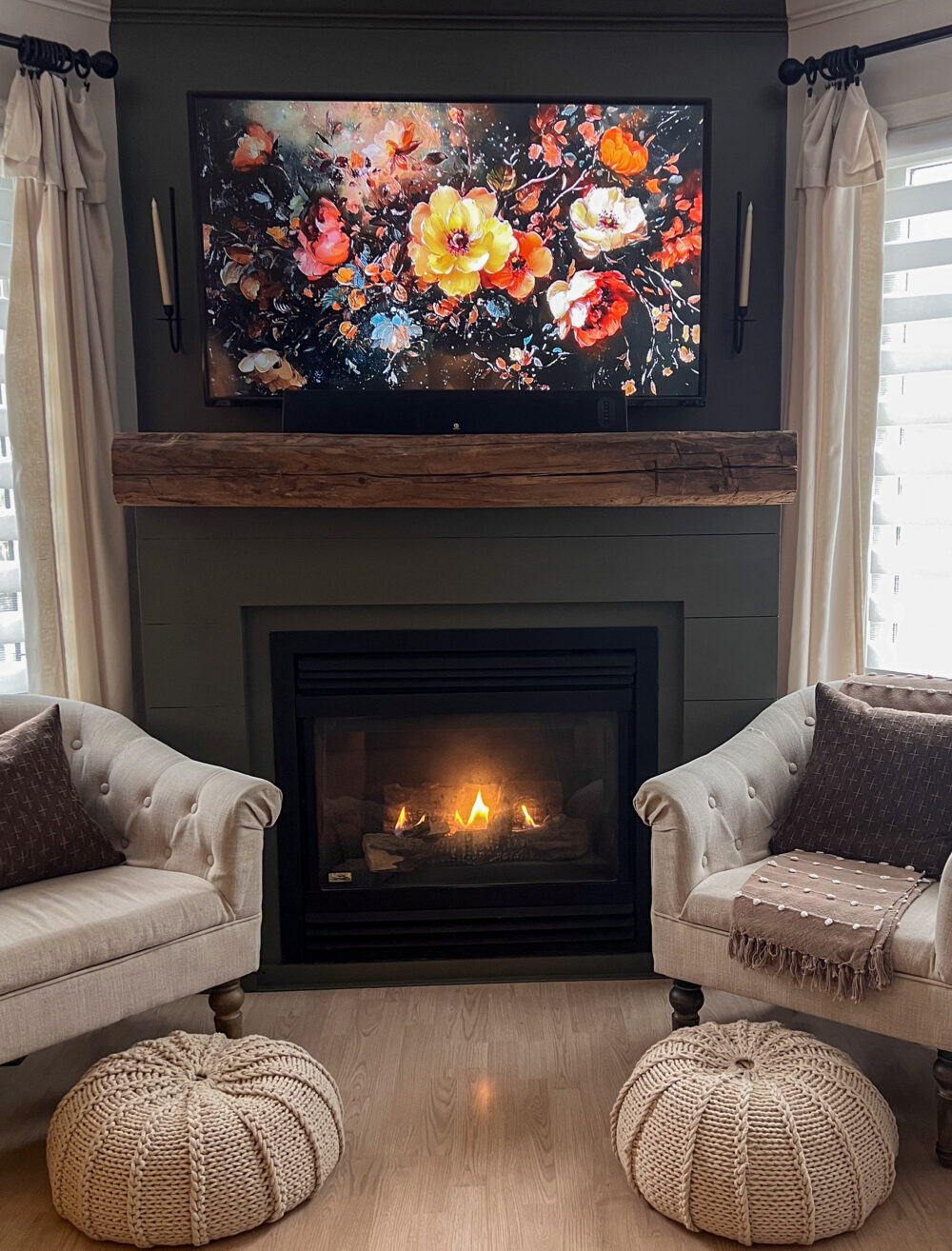
If you’re looking to style your TV area and make the most of this focal wall, check out this post on tips for decorating around a TV. With suggestions on choosing frames, layering decor, and balancing your setup, you’ll find all the tips you need to make your TV blend effortlessly into your room design.
5 Ways to Display Artwork on Your TV
1. Choose a TV with Art Mode
Some TVs, like the Samsung Frame, are designed specifically for displaying artwork. These “art mode” TVs allow you to choose from a curated collection of art, or even upload your own photos and digital artwork. When the TV is turned off, it transitions seamlessly into “art mode,” displaying your chosen piece with lighting and colors adjusted to look like real artwork.
Pro Tip: If you have a Samsung Frame or similar, you can change the artwork seasonally or select colors that complement your decor for a more cohesive look.
2. Use a Streaming Device with Screen-Saver Options
For TVs without a built-in art mode, some streaming devices, like Amazon Fire TV Stick or Apple TV, offer screensavers that display artwork or personal photos. You can choose from stunning landscapes, famous artwork, or even your own gallery of family photos.
How to Set It Up:
- Connect your streaming device to the TV.
- Go to the device’s settings and choose the screen-saver or photo display options.
- Upload your photos or select from curated artwork collections to customize your display.
Amazon Fire TV Stick-Specific Tips:
At my house we use an Amazon Fire TV Stick on our TV. Here are a few tips for how to use it specifically for your TV art:
- The way I add photos to my Fire TV Stick screensaver, is to add photos to an album called “TV Pics” in the Amazon Photos app on my iPhone.
- Then in the Fire TV Stick Screensaver menu I select “TV Pics” as the screensaver and adjust the slideshow settings I want (fast, slow, dissolve, captions (which I discovered in this case is the name of the photo/album), date, etc.
- I’ve even started creating different folders for different seasons, like “Christmas TV Pics” or “Fall TV Pics”.
- If you’re just downloading the Amazon Photos App for the first time, it may take a while for it to add all your photos. So be patient.
- The newer Fire TV Sticks don’t have an option to disable Sleep Mode. So be sure to choose more than one photo to have in your art “slideshow” to keep the screen “awake” for as long as possible. It still may turn off sooner than you’d like, unfortunately.
3. Create a Digital Photo Frame on Any TV
Use a USB drive to turn your TV into a personal art gallery. Most modern TVs have a USB port, allowing you to upload and display digital images on the screen as a slideshow.
Here’s How:
- Save your favorite art images or photographs onto a USB drive.
- Insert the USB into your TV, and go to the input source to access your images.
- Select the slideshow or static photo display option to feature your artwork when the TV is idle.
This option allows you to create a rotating gallery of your favorite artwork with minimal setup.

4. Curate Your Own Art Collection with a Digital Art Subscription
Services like Artcast, Loupe, and others allow you to turn your TV into a display of rotating artwork by subscribing to a digital art service. These platforms offer hundreds of options, from classic artwork to contemporary digital pieces, often allowing you to adjust frequency, themes, and colors.
Top Picks for Art Subscription Services:
- Artcast: Offers themed collections like modern art, photography, and serene nature scenes.
- Loupe Art: Features contemporary digital art collections, perfect for modern interiors.
5. Utilize YouTube for Free Art Display Options
Believe it or not, YouTube has many art and ambient videos created specifically for displaying artwork on a TV. Simply search for “artwork display for TV” or “ambient art for screen” on YouTube, and you’ll find hours-long videos showcasing curated pieces, mood visuals, and more. You can even look for season-specific art for Christmas or fall too!
To Use:
- Open the YouTube app on your smart TV or streaming device.
- Search for “artwork display for TV.”
- Choose a video that suits your mood or decor theme and let it play on a loop.
Youtube TV Art Tip: Turn the volume down to zero if you just want the art and not the music that is sometimes included.
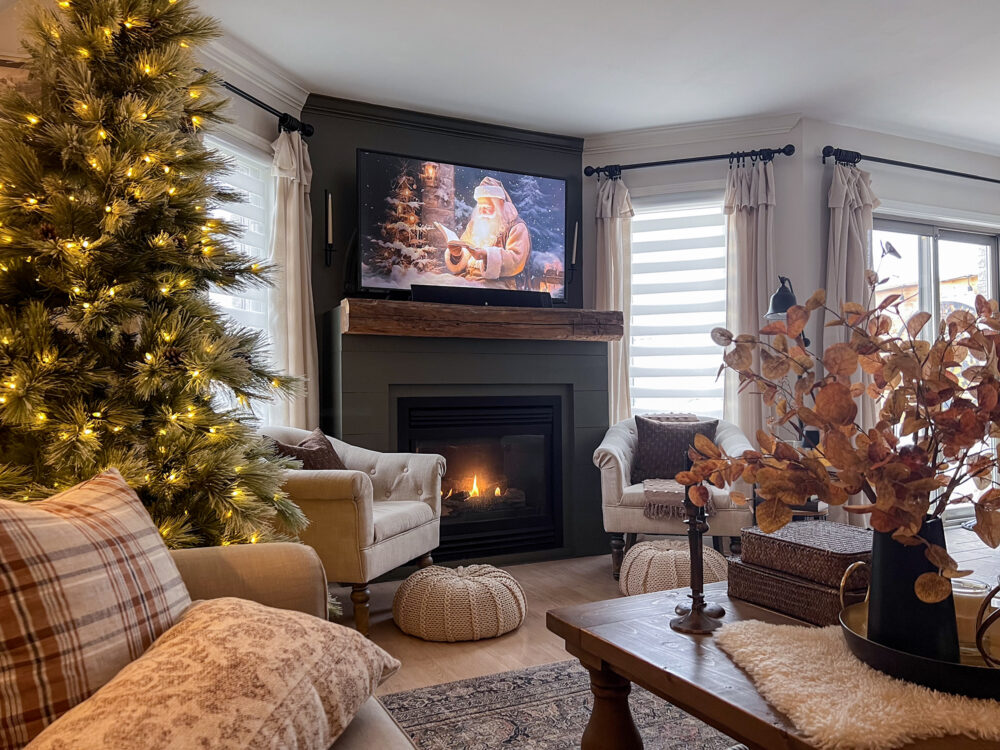
Where to Find Art to Display on Your TV
If you’re ready to bring your unique style to your TV screen, you can explore downloadable artwork to make it truly personal. I have a curated round-up of downloadable vintage art for your home that will bring warmth and charm to your TV, as well as to the walls in your home. With a selection of beautiful vintage pieces, you can easily find one that matches your room’s color palette and theme.
Other sources include:
- Etsy: Great for vintage, classic, and themed artwork from independent artists. (<–this is my favorite place to get art for my TV!)
- Digital Art Websites: Websites like Society6 and Redbubble offer digital downloads for unique and vibrant designs.
- Museums and Archives: Many museums now offer public domain digital downloads of classic art, so you can display famous pieces in high quality on your screen.
FAQs
Yes! Most art-mode TVs and streaming devices allow you to upload personal images. You can showcase family photos, your favorite travel shots, or digital artwork you love.
Most modern TVs are designed to prevent screen burn, especially those with art modes that adjust brightness and color to imitate framed artwork. However, if you’re using an older TV, try rotating images or using a screensaver mode to minimize any potential issues.
There are plenty of options! From the downloadable vintage art collection in this post to curated sites like Etsy and public domain museum collections, you can find beautiful pieces to download and display. For digital collections and high-resolution files, check out sites like Society6, Artcast, or Loupe.
Turning your TV into an art display is a perfect way to create a home that feels intentional and stylish, even when the TV isn’t in use. With the right setup, your TV can become a beautiful part of your decor, allowing you to enjoy artwork and elevate your space effortlessly. So go ahead—transform that black box into a masterpiece!
Which of these methods have you tried to display artwork on your tv? Let me know in the comments below!

Want to see more content like this in your Google searches?
This button tells Google that Home Made Lovely is a source you like, so it can show you more of it.